In only 30 minutes we'll outline your fastest path to Centralize Operations for Revenue Generation.Book Live Call Today!
K-12 AI Coding Workshops

Your students will not sit and watch an AI demo.They will ship something.

In one three hour session, teams of students design a real app, direct an AI coding agent to build it, test each other's work, fix what breaks, and demo it live to the room. Beginners welcome. The students do the thinking, and they take the app home.

Built and taught by Walt Jordan, who builds AI systems for businesses every day and brings the same tools into the classroom.

$499 per session, not per student. A room of thirty costs the same as a room of twelve.

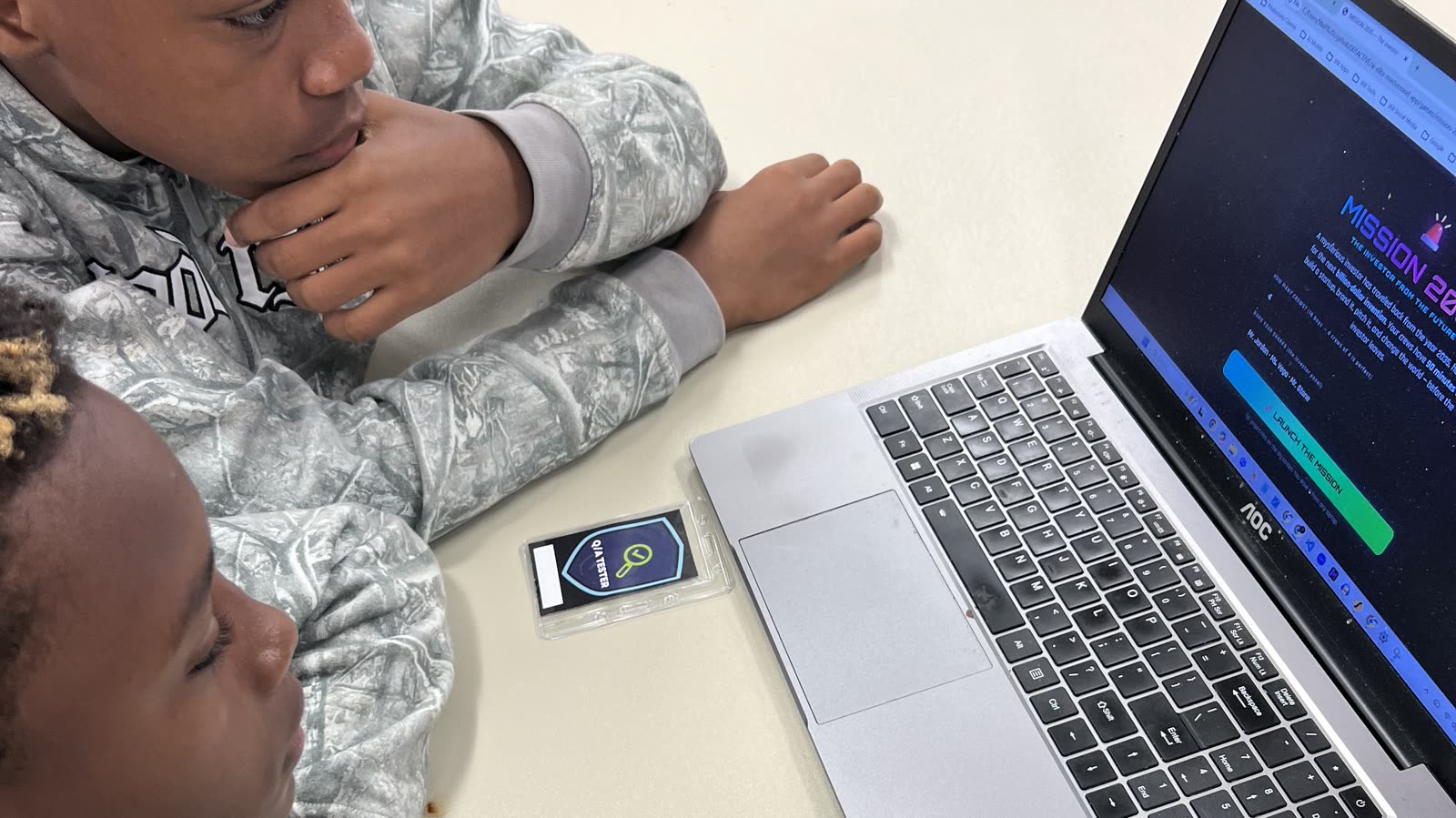
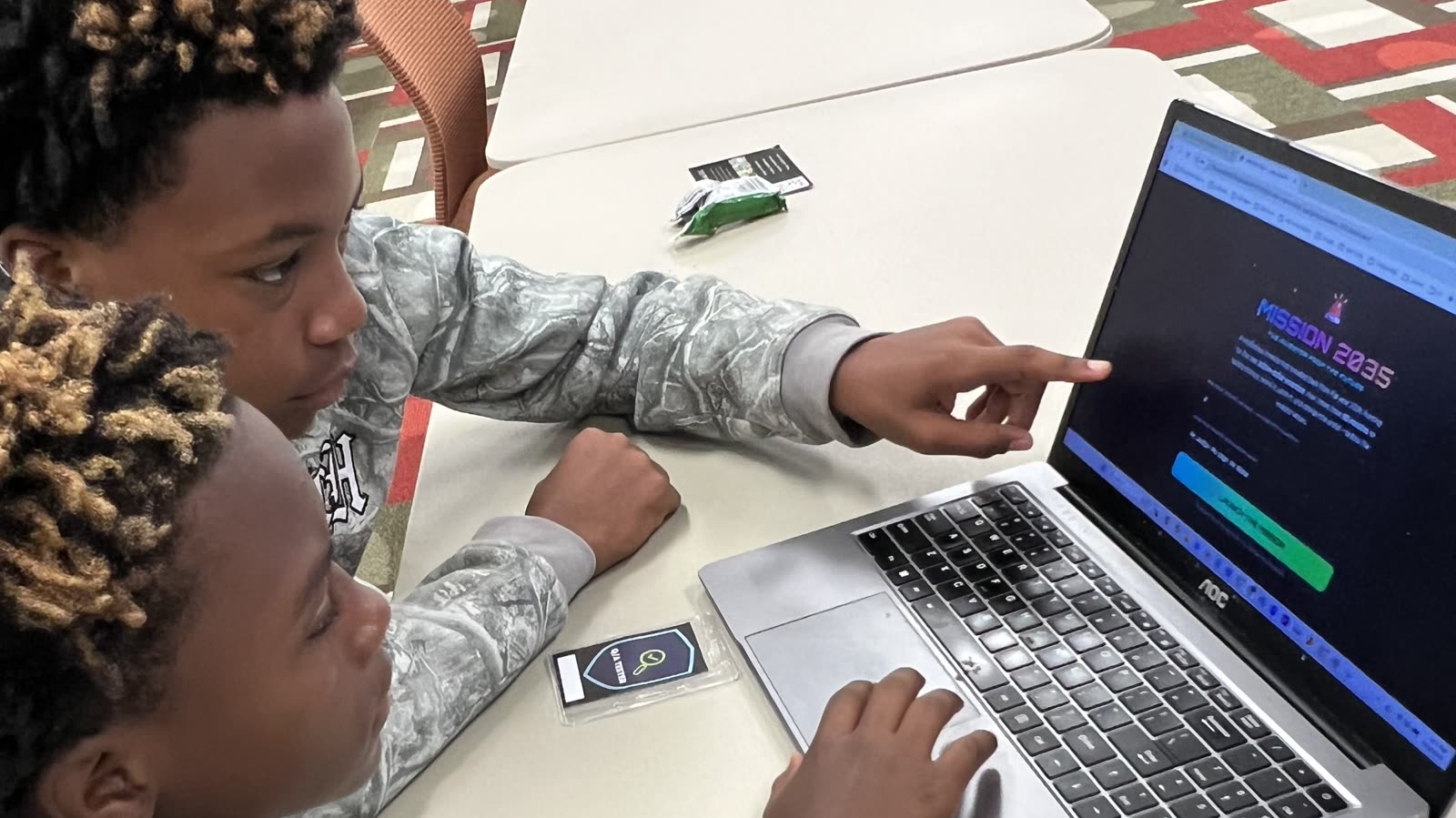
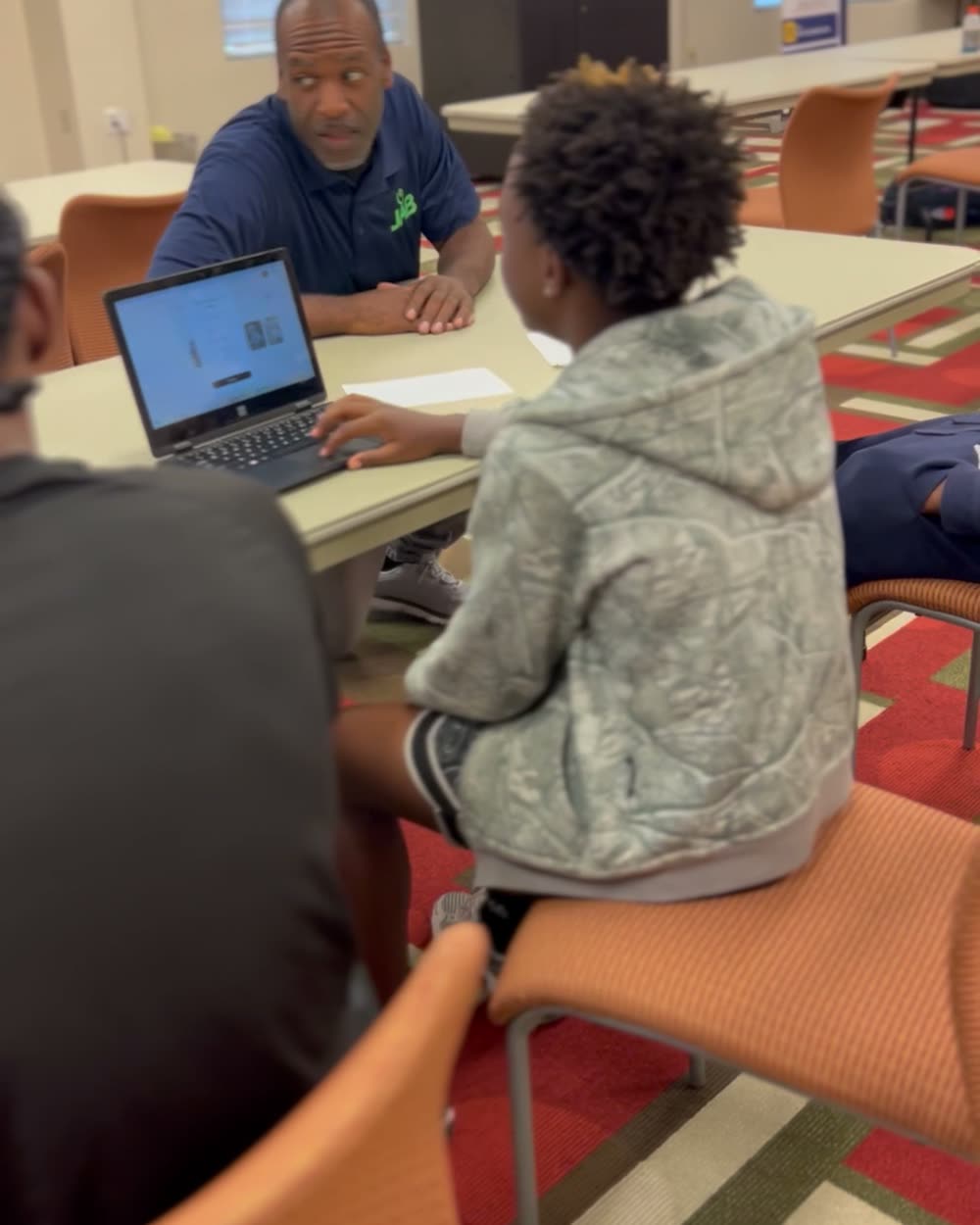
Two students at a laptop, one pointing at the Mission 2035 briefing screen they are building against

Real session. Summer 2026, D.B.G.E.M. camp at Chattahoochee Technical College.

3 hours

One session, start to live demo

18

Bots designed by students in one afternoon

29

Arena matches run from those designs

100%

Of teams demoed working software

Most AI assemblies are a person talking about AI

Students already use AI. What almost nobody has shown them is how to be the one giving the instructions instead of the one asking for answers. That is a different skill, and it is the one that will matter to them.

So we do not lecture. We put them in software teams, hand them a real tool, and give them three hours and a deadline. The room sounds like a startup by minute forty.

Three ways to run it

Pick by the time you have and the age you are serving. Programs often run the short game first to hook the room, then the full build later in the week.

Build an App with AI

3 hoursGrades 6 to 12

The flagship. Teams design a real app on paper, then direct an AI coding agent to build it, test it, break it, and fix it. Every team demos working software at the end.

  • A working browser app each student keeps
  • A written product spec in their own words
  • A bug report they filed and a fix they verified
  • A live demo in front of the room
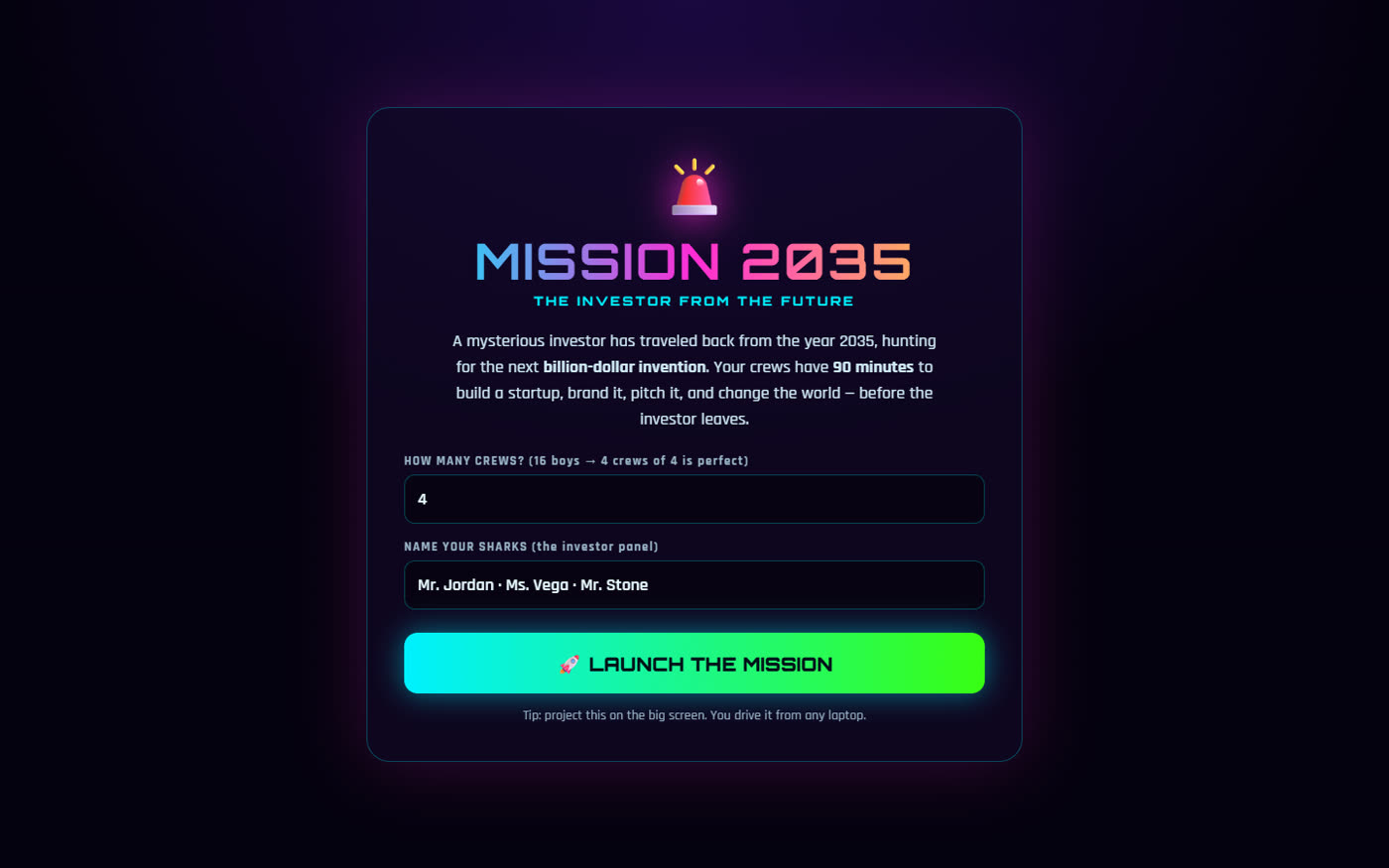
Mission 2035

90 minutesGrades 5 to 12

A startup-building game. Crews invent a product for the year 2035, brand it, survive a mid-game twist from the future, film a 30 second commercial, and pitch a panel of investors for a live valuation.

  • A named company with a logo and a slogan
  • A 30 second commercial the crew wrote and shot
  • A pitch delivered to an investor panel
  • An awards ceremony with a live scoreboard

AI Bot Royal Rumble

60 to 90 minutesGrades 3 to 9

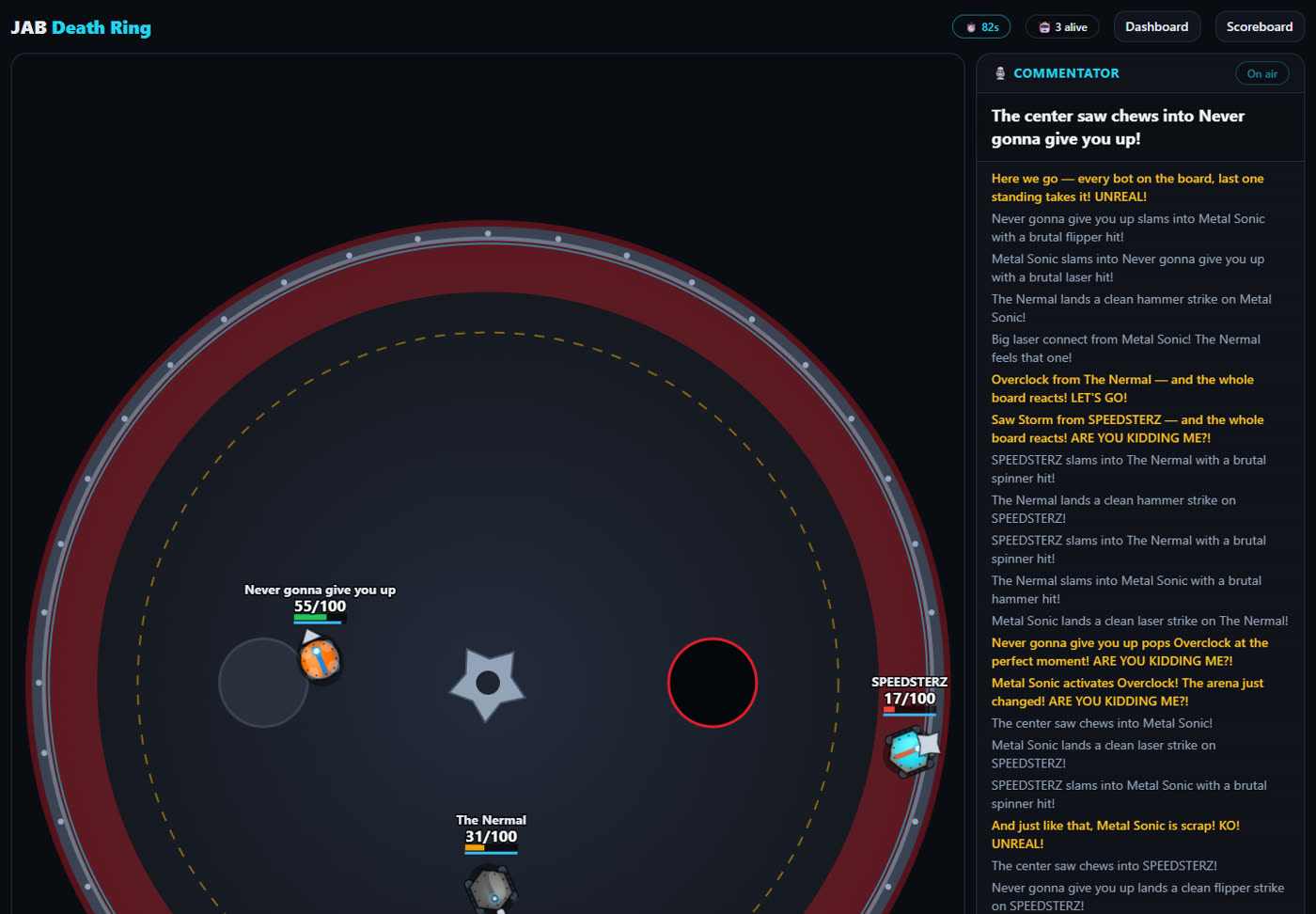
Students describe a battle bot in plain English. The system turns each description into a balanced fighter, then the bots fight in a projected arena with live commentary while the room loses its mind.

  • A bot each team designed by writing, not coding
  • A tournament bracket projected live
  • A lesson in why vague instructions lose
  • A scoreboard and award winners

What's taught

Every line on this list is something the AI cannot do for them.

Think it through

  • 01

    How to decide what to build and say it in one sentence the whole team agrees on

  • 02

    How to write a five line spec by hand before anyone touches a keyboard

  • 03

    How to sketch the screen so four people are building the same thing

  • 04

    Why vague instructions lose, in a game where invincible gets you a slow, overheating machine

  • 05

    How to cut a big idea down to what ships today and what waits

Build it

  • 06

    How to direct an AI coding agent that plans, writes files, runs code and fixes its own errors, instead of chatting with a bot

  • 07

    The difference between a vague prompt and a precise one, shown side by side on the same task

  • 08

    How to read back what the agent built and check it against the spec

  • 09

    How to fix what breaks, one change at a time, testing after each one

  • 10

    How to hold a real software team role: Product Lead, Developer, QA Tester, Designer and Presenter

  • 11

    How to say no to feature creep when the clock is running

Own it

  • 12

    How to test honestly by trying to break another team's app on purpose

  • 13

    How to write a bug ticket someone else can actually act on

  • 14

    How to triage the bugs filed against your own work and decide which ones matter

  • 15

    How to demo working software live: what we built, what broke, how we fixed it

  • 16

    How to stand behind your choices when the room asks why you did it that way

  • 17

    And most importantly: what to do when you get stuck

What actually happens in the room

This is the real running order of the three hour session, not a sales summary of it.

  1. 0:00

    The hook

    We build a small game live on the projector in about four minutes, then break it on purpose and have the AI fix it. The room goes quiet, then loud.

  2. 0:10

    How to direct an agent

    The difference between a chatbot and an agent that plans, writes files, runs code, and fixes its own errors. Vague prompts versus specific ones, shown side by side.

  3. 0:30

    Teams, roles and spec

    Students take real software roles and write a five line spec on paper. Nobody touches a keyboard until the Product Lead can say out loud what they are building.

  4. 0:45

    Sprint one

    Build the core of the app. Checkpoints at 15, 30 and 45 minutes. We coach prompts, we never type for them.

  5. 1:40

    The QA swap

    Every team tries to break the next team's app for ten minutes and leaves written bug tickets. This is the part teachers tell us they remember.

  6. 1:55

    Sprint two

    The Developer seat rotates so a second student drives. Fix the bugs that matter, add one polish feature, then stop and test.

  7. 2:35

    Demos

    Every team presents on the big screen. What we built, the hardest bug, the best instruction we wrote, and a live play through.

Every student gets a real job

Only the Developer types. That one rule stops four kids from crowding a keyboard and forces the team to think and talk instead. The Developer seat rotates at the halfway point, so at least two students drive the agent.

The quiet kid who is great at finding problems becomes QA and is suddenly the most important person on the team. Teachers notice that one.

Walt Jordan sitting across the table coaching a student working on a laptop

Product Lead

Owns the spec. Decides what gets built and in what order, keeps time, and says no to feature creep.

Developer

The only one typing. Turns the team's spec into instructions for the AI, then reads back what it built.

QA Tester

Tries to break the app after every change, writes real bug tickets, and verifies the fixes.

Designer and Presenter

Owns the look, the names, and the demo. Sketches the screen before a single prompt is written.

The hard question

“Isn't this just teaching kids to let AI do the work?”

It is the first thing a good parent asks, and the surveys back them up. Losing critical thinking is the number one concern American parents have about AI in school. We designed this session as the direct answer to that concern, not around it.

The AI cannot decide what to build

Nobody touches a keyboard until the team has written a spec by hand and said it out loud. If they cannot describe it in one sentence, the AI cannot build it, and they find that out fast.

The AI cannot tell them it is wrong

Every team spends ten minutes trying to break another team's app and files written bug tickets. Then they have to triage their own. Judgment is the assignment.

Vague instructions actively lose

In the bot game, every design is normalized to the same point budget. Write invincible and you get a slow, overheating machine. Precise thinking beats shortcuts, by design.

At the end, every student stands up and explains what they built, what broke, and how they fixed it. You cannot fake that part, which is exactly why we make it the finale.

What students actually walked out with

Every image below is from a real session. No stock photography, no staged classroom.

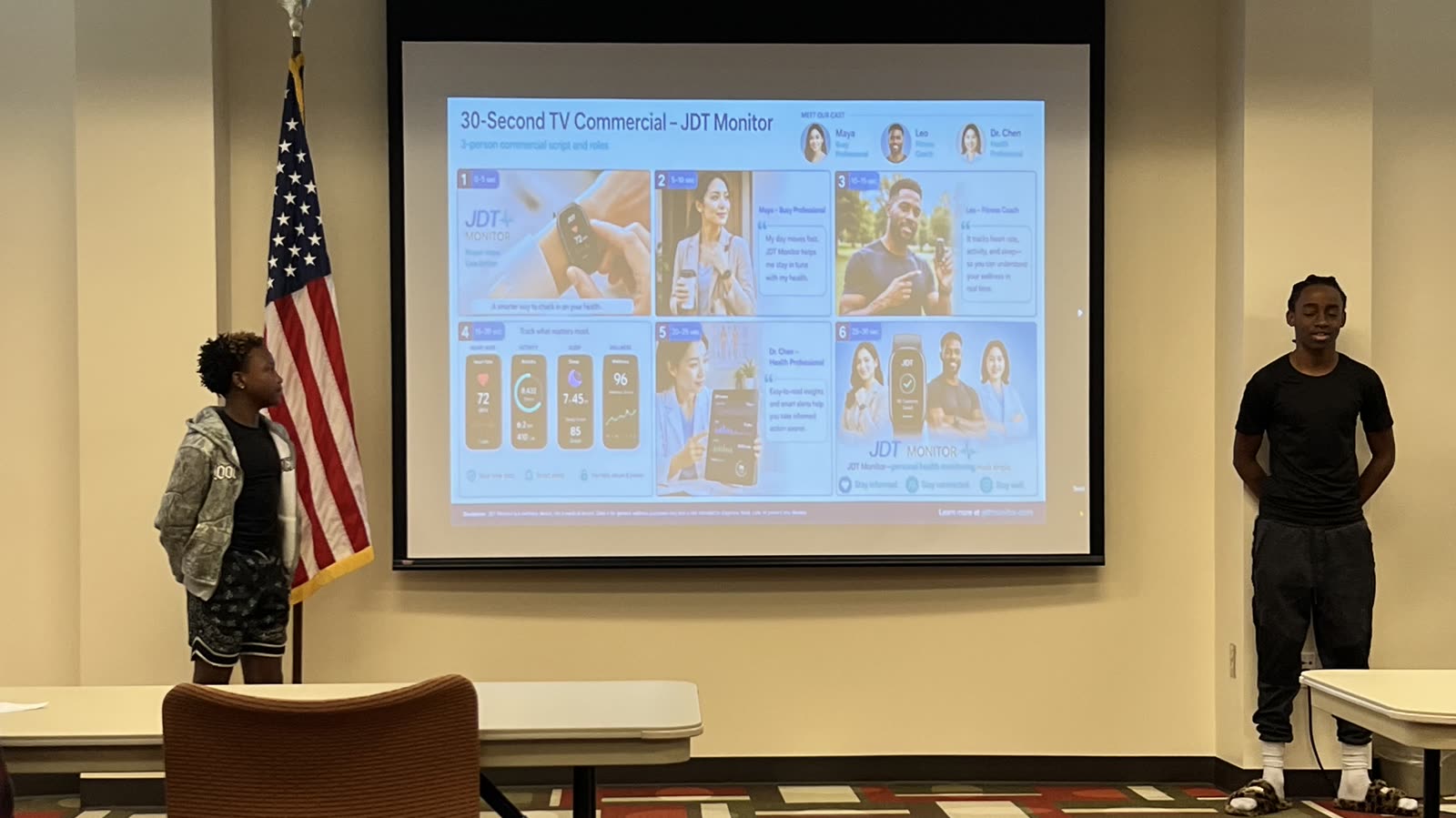
Students presenting a 30 second TV commercial for a product they invented, projected on the screen

A product that did not exist that morning

A crew invented a device, branded it, and presented the 30 second commercial they built for it. They pitched it to an investor panel for a live valuation.

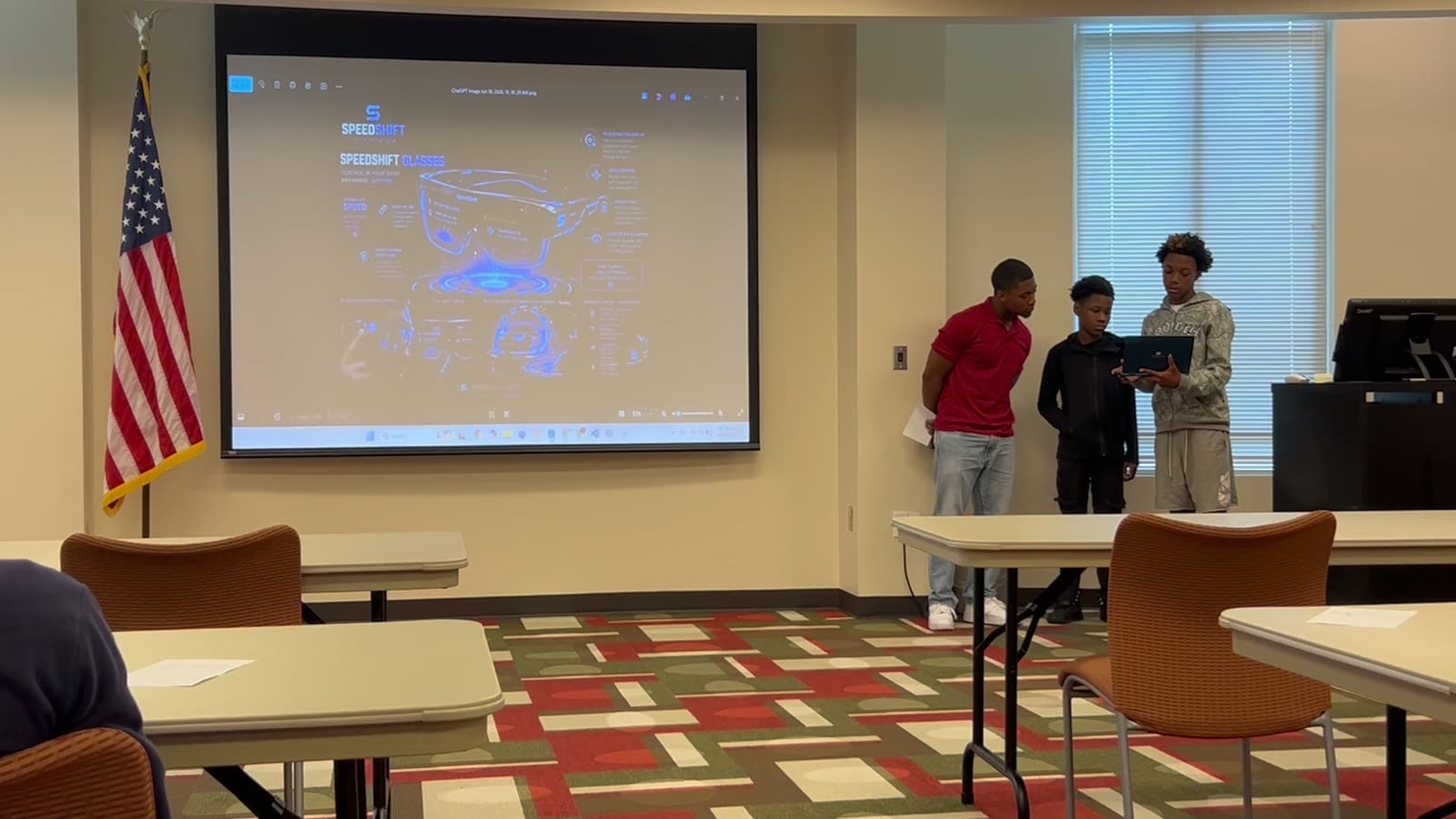
Three students at the front of the room presenting their battle bot design, with the bot schematic projected behind them

Eighteen bots, twenty nine matches

Teams described a fighter in plain English and the system built it. Then they defended their design choices in front of the room before the arena decided who was right.

Two students focused on a laptop screen during the build sprint

Four games shipped and taken home

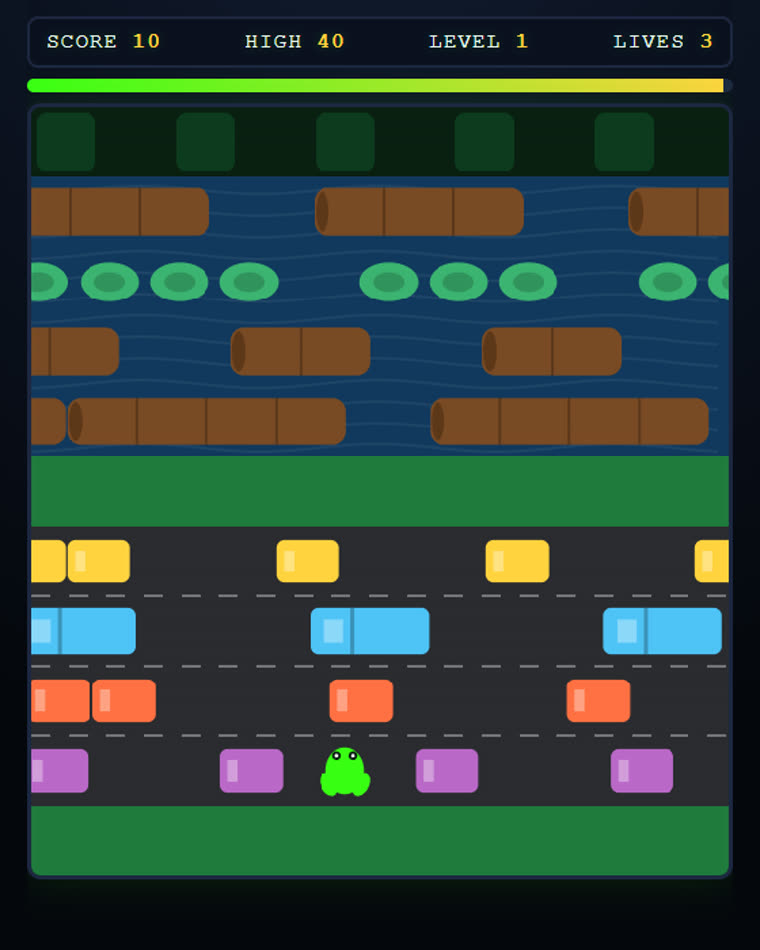
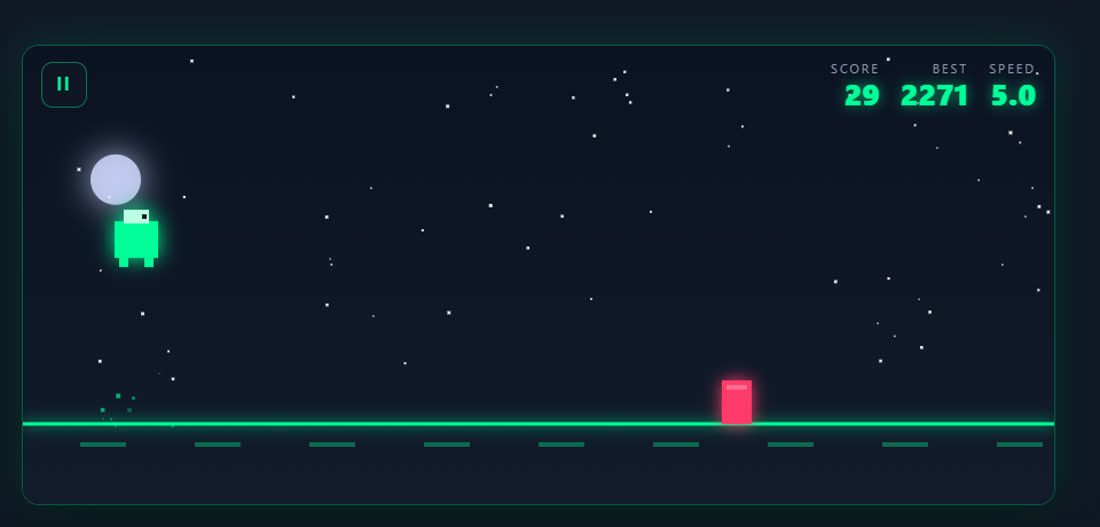
Teams built and kept playable browser games, including an arcade road crosser and two endless runners, each with scoring, difficulty and a restart. Single files that open on any computer at home.

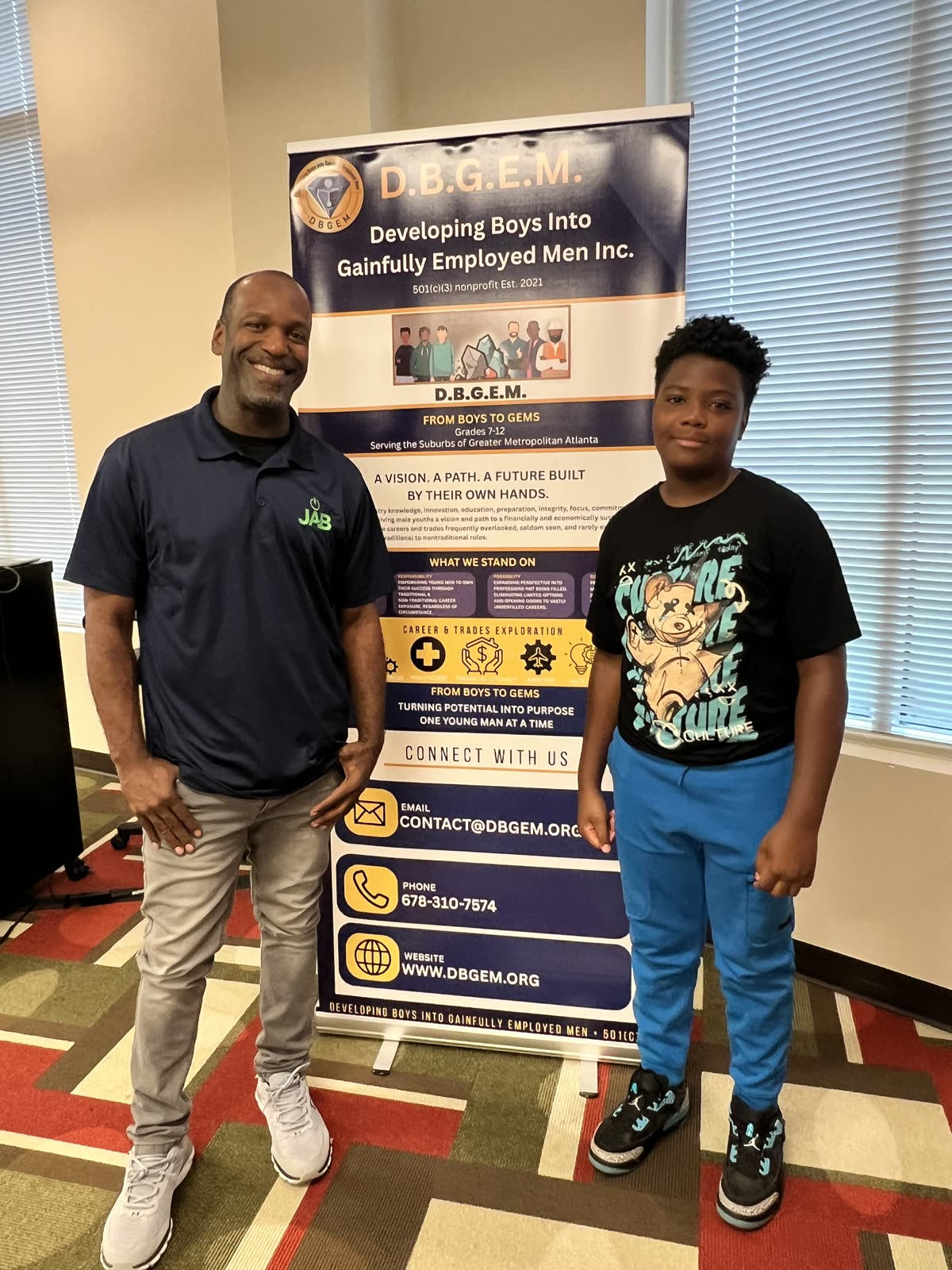
Walt Jordan with a student in front of the D.B.G.E.M. banner at the summer camp

A cheat sheet and something to be proud of

Every team left with the five line spec they wrote by hand, a bug ticket they filed against another team, and a prompting cheat sheet so they can keep building at home.

We built the software the session runs on

This is not a slide deck with a timer. The facilitator console, the arena, the scoring and the awards are ours, which is why we can adapt them to your room instead of asking your room to adapt to us.

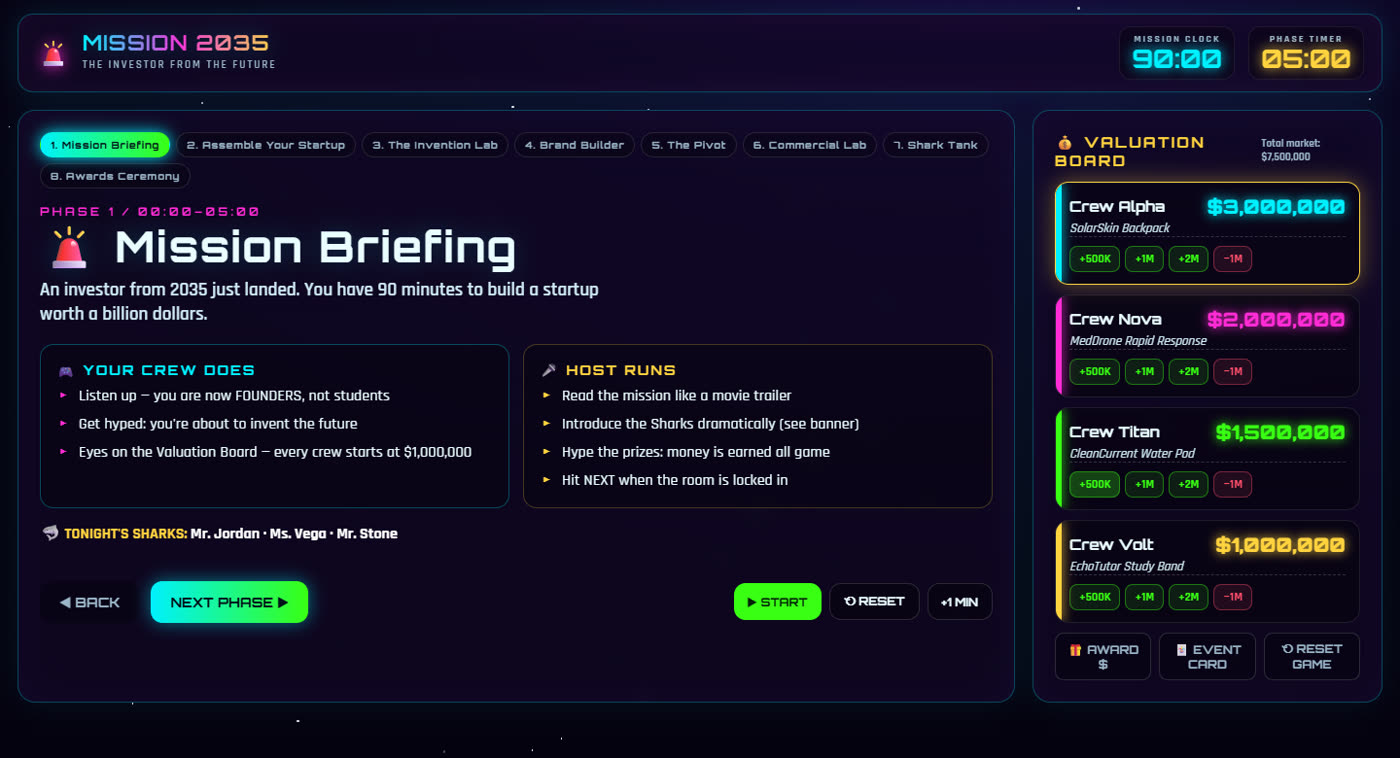
The Mission 2035 facilitator console showing the mission briefing, phase timer and a live valuation board with four student crews

The Mission 2035 console

Eight timed phases that add up to exactly 90 minutes, a live valuation board every crew can see, event cards that reward good decisions, and a mid-game twist from the future that forces every team to pivot. You drive it from a laptop and project it on the big screen.

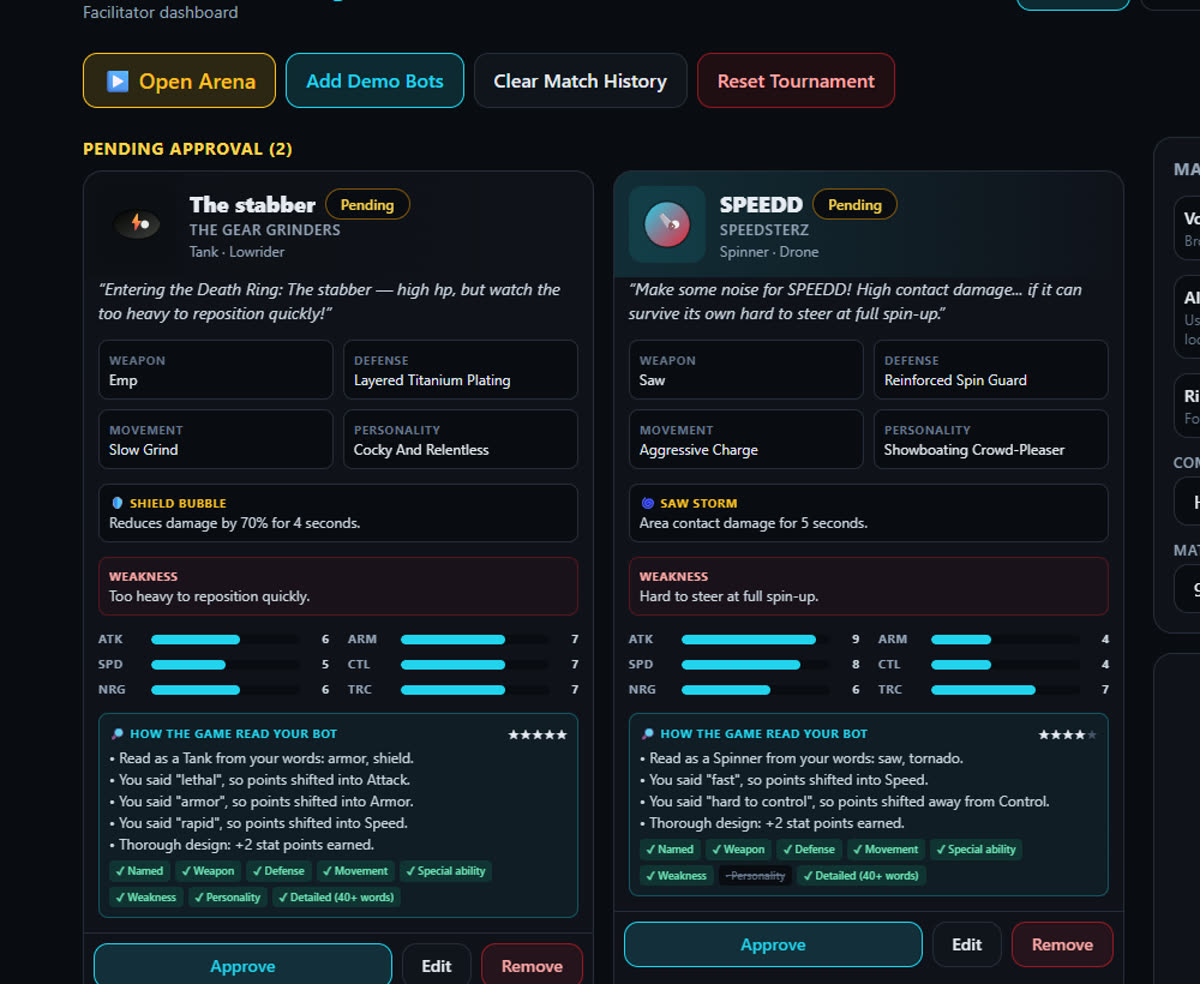
The bot dashboard showing how the system read two student bot descriptions, with stat bars and written feedback

The part teachers like most

When a team submits a bot, the system shows its work: which words it read, which stats those words moved, and what the team forgot to specify. Students immediately see that the description they wrote is the reason their bot is fast or fragile. Then they rewrite it and try again.

The projected battle arena with student bots, health bars and a live commentary feed

The arena, with the volume up

Bots fight in a shrinking ring while a commentator calls the action out loud. The room is on its feet. Underneath the noise, every match is a fair test of whose description was clearest, because every design is balanced to the same budget before it ever enters the ring.

A road crossing arcade game a student team built, showing score, level and lives
An arcade road crosser with scoring, levels and lives. Built by a student team, in one sprint.
A neon endless runner game a student team built, showing score, best score and speed
An endless runner with a rising speed curve and a saved best score. Same afternoon.
Where we have run it

D.B.G.E.M. Summer Camp 2026

Jordan & Borden served as the AI STEM workshop presenter for Developing Boys Into Gainfully Employed Men, a metro Atlanta nonprofit that runs a summer camp for young men in grades 7 through 12. The sessions ran across two camp weeks in June 2026 at the Chattahoochee Technical College Paulding Campus, alongside their leadership, trades and career exploration programming.

Students who had never written a line of code shipped working software the same day, then stood up and explained how they built it.

Grades 7 to 12, mixed experience levels
Two camp weeks, full day programming
Zero sessions lost to setup or network issues

“Because of partners like you, our campers experienced far more than a traditional summer camp. They were immersed in an environment that inspired them to dream bigger, lead with confidence, and begin preparing for successful futures.”

Taungela Hill, Executive Director and CEO, D.B.G.E.M.From her closing letter to the 2026 camp partners and presenters.
For Georgia programs

The requirement is coming. Starting early is cheap.

Georgia has made computer science, including artificial intelligence, a high school graduation requirement, phasing in across the state over the next several years. Most districts and the programs that feed them are still deciding what that looks like in practice.

A single three hour session is the least expensive way to find out what your students actually respond to, and to have something real to point at when someone asks what you are doing about AI.

What we bring, what you provide

We keep your lift small on purpose. Most programs are running on volunteers and borrowed rooms, and we plan for that.

We bring

  • A working, timed lesson plan and every printed handout
  • The live build demo, all coaching, and the facilitator console
  • Role cards, prompting cheat sheets and bug ticket slips
  • The arena, scoreboard and awards software, tested before we arrive
  • A setup check the day before so no minute of the session is lost to logins
  • A parent packet: a plain-English letter, exactly which tools we use and what data they touch, and a media release form

You provide

  • One laptop per student, or one per pair, with internet access
  • A projector or large screen for the demo and the finale
  • Tables grouped for teams of three or four
  • An adult from your staff in the room, as you would for any session

No laptops? The Bot Royal Rumble and Mission 2035 both run from one facilitator console on your projector, with students working on paper and phones.

What it costs

$499per session

Per session, not per student. A room of thirty does not cost you more than a room of twelve, so you are never choosing between budget and how many kids get in.

The instructor for the full session
Lesson plan and every printed handout
The facilitator software and the arena
A setup check the day before

Booking several sessions, or working from a grant? Tell us the budget you actually have and we will work with it. We have run these for nonprofits.

Check a date

How we keep it safe and supervised

This is usually the first question a director asks, and it should be. Here is the honest answer.

  • All AI use happens in class, with screens facing the room and an instructor circulating the entire time.
  • Students never enter personal information. Projects are pre-scoped to school-appropriate options.
  • Every project has to pass the show your principal test, and we say that out loud in the first ten minutes.
  • Your staff stays in the room. We are a guest instructor, not a substitute for your supervision.
  • We will not photograph or publish student work or faces without your written permission and whatever release your families have signed.

Straight answers

Do students need to know how to code?

No. This is designed for beginners. Students who already code are given the Developer role and pushed to read and question the code the agent writes, so they are stretched rather than bored.

Is this safe? What are students actually typing into?

All AI use is supervised, screens face the room, and an instructor circulates the entire session. Projects are pre-scoped to school-appropriate options, students never enter personal information, and every project has to pass what we call the show your principal test, which we state out loud at the start.

What if our WiFi is unreliable or the network blocks things?

We check the network the day before. The Bot Royal Rumble and Mission 2035 both run without internet, and if the network fails mid session we switch to the paper spec and prototyping exercise until it comes back. We have never lost a session to this.

How many students can you take?

Ten to fifteen per instructor is the sweet spot for the coding workshop. Mission 2035 and the Bot Royal Rumble scale to a full room of thirty or more, because they run from one facilitator console on the projector.

Are you teaching kids to let AI do their homework?

The opposite. The whole session rewards the things AI cannot do for them: deciding what to build, describing it precisely, testing it honestly, and standing up to explain it. In the bot game we deliberately normalize every design to the same point budget, so a student who writes invincible gets a slow, overheating machine. Clear thinking wins, shortcuts do not.

What does it cost?

499 dollars per session, and that is per session rather than per student, so a room of thirty does not cost you more than a room of twelve. That covers the instructor, the lesson plan, every printed handout, the facilitator software and the setup check the day before. If you are booking several sessions or you are a nonprofit working from a grant, tell us the budget you actually have and we will work with it.

What documentation can you provide for our files?

Tell us what your program requires and we will have it to you before we set foot on your site. That normally means a certificate of insurance, background screening documentation, and a reference you can actually call. We would rather over-document than have you chasing us the week of the session.

What do we tell parents?

We hand you the parent packet so you are not writing it yourself: a plain-English letter explaining what students will do, a disclosure naming the exact tools we use and what data they touch, and a media release if you want to photograph the session. Most parents are not against AI, they are against not being told. This solves that before it becomes a phone call.

Bring this to your students

Tell us what you are planning. We will come back with a straight answer on dates, group size and cost, usually the same day. If we are not the right fit we will say so.

Or call and text (470) 748-2181. A real person answers.

By texting, you agree to receive conversational texts from Jordan & Borden about your enquiry. Message frequency varies. Msg & data rates may apply. Reply STOP to opt out, HELP for help. See our Privacy Policy and Terms.

Metro Atlanta and surrounding counties Schools, camps, churches and nonprofits